

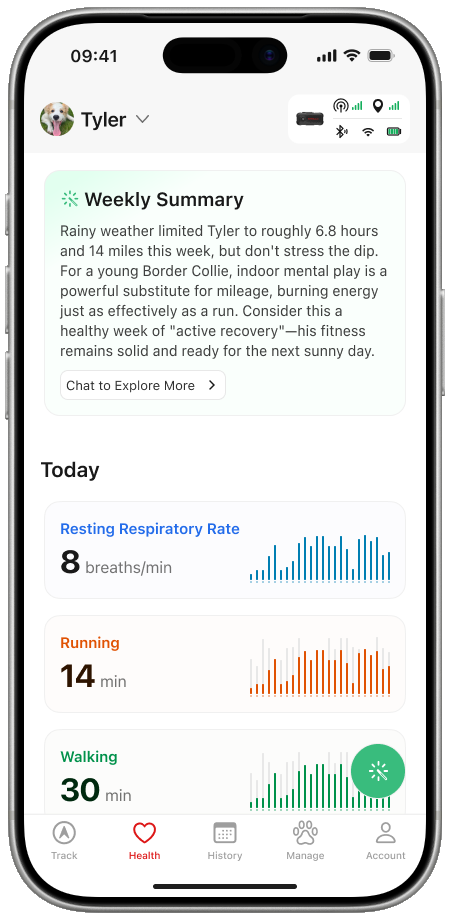
Shipping in two months meant knowing what not to reinvent.
Shape · SATELLAI Go · 0→1 · Launched
With a two-month window to stand up a connected-device app, I reused proven conventions where they already worked and focused design effort on the product rules and hardware-dependent states SATELLAI needed to get right.
My roleOwned the end-to-end MVP experience: product structure, core journeys, state behavior, launch scope, and engineering handoff.
Established patterns bought speed. The remaining design effort went into the rules that kept the pet useful beyond its hardware and made disconnected states part of the core experience.
- Onboarding
- Pet profile
- Device pairing
- Navigation
These interactions were established enough to adapt rather than reinvent. The judgment was where to stop exploring and redirect a limited design window.
Pet–device separation reused a mature category convention. The SATELLAI-specific rule was that unbinding stopped new collection without erasing access to the pet profile or historical Health and Activity data.
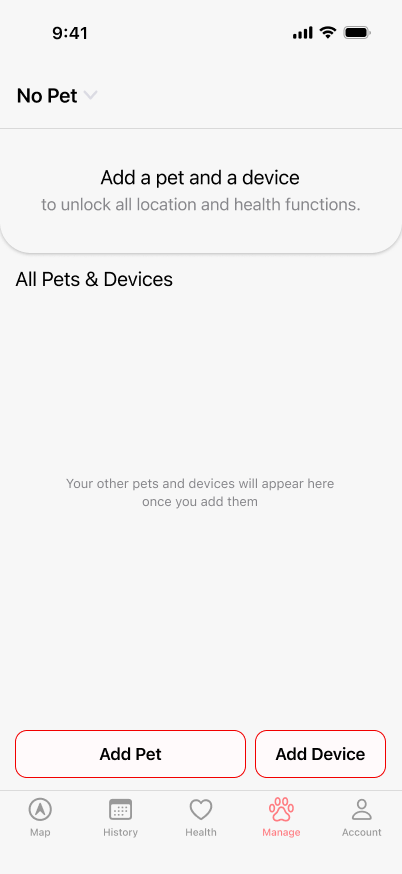 01No petCreate the record
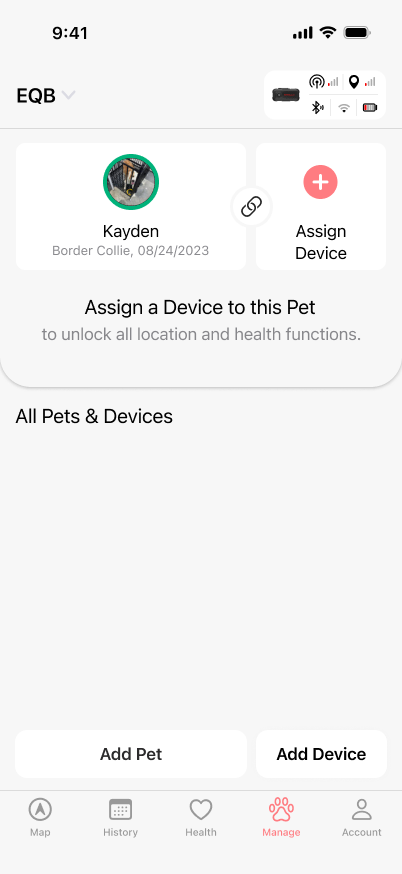 02Pet, no deviceHistory stays useful
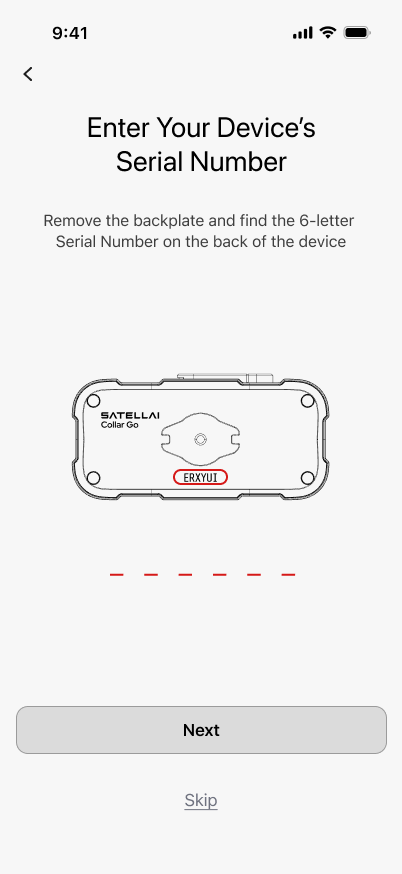 03PairingConnect the hardware
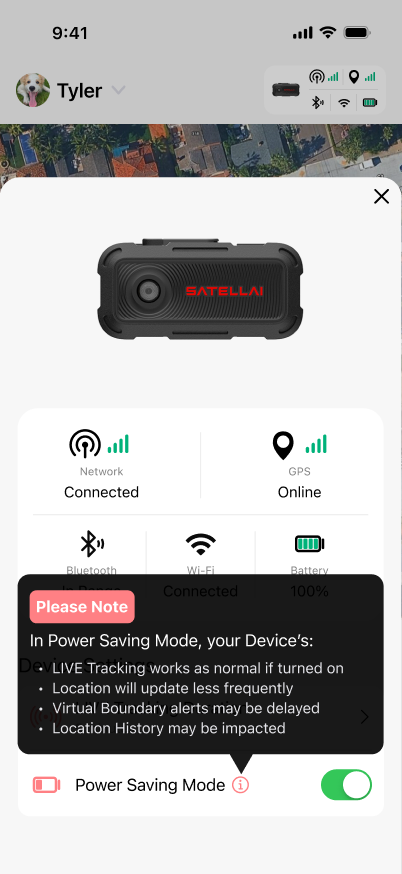 04ConnectedRead system status
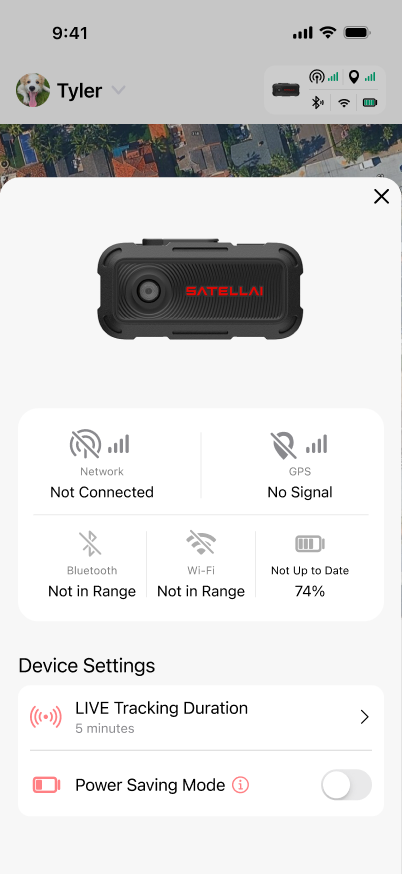 05UnavailableExplain and recover
No device, pairing, unavailable hardware, and recovery were defined as core behavior before handoff—not added after the happy path.
One product model stayed coherent across the app.
From pairing and location to health and management, the same rules for pets, devices, data, and hardware state had to hold together.
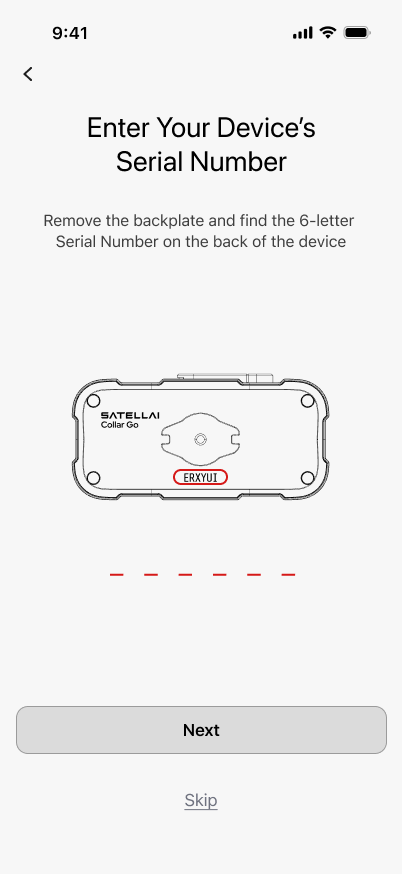 01Pair or skipHardware could join later
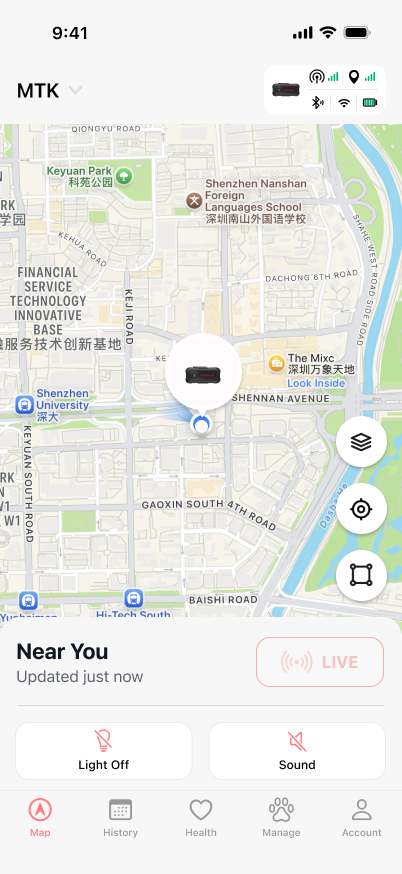 02LocateRead state, then act
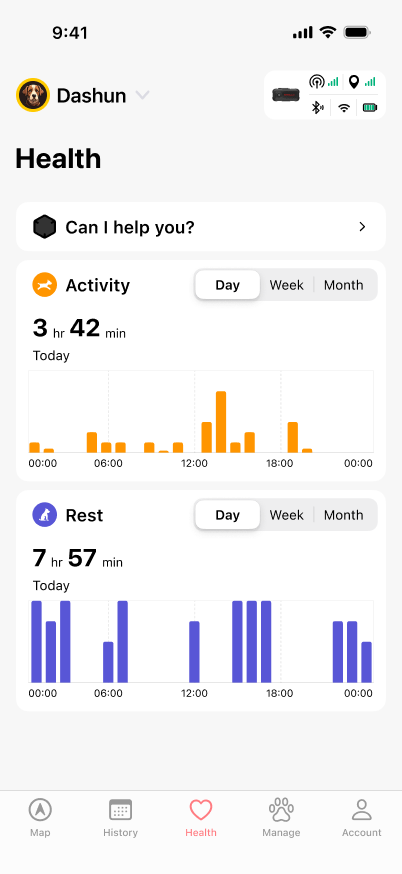 03Review healthData stays useful over time
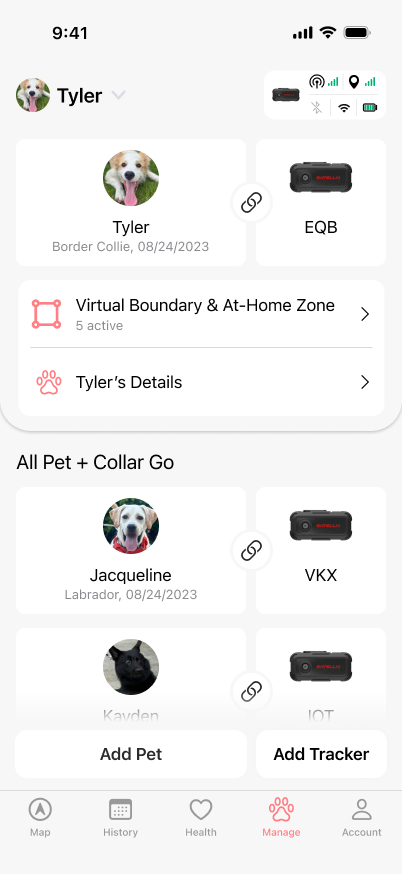 04Manage the linkPet and device stay distinct
- AugProduct skeleton
- SepCritical states
- OctMVP handoff
- DecLaunched
When should AI speak—and when should the product ask for more data?
Make intelligence useful · Shared across both apps
The system first had to decide what was worth saying, whether the available data supported it, how to say it concisely, and what to request when it was not ready. Contextual Nudges helped raise baseline coverage from 40% to 70%.
My roleDefined readiness and Nudge logic across both apps, then shaped the context, output hierarchy, evaluation rubric, and refinement loop for AI Health.
The same surface had to change its job with data quality: collect the missing input when context was weak, then prioritize signal, context, and an actionable Nudge when it was strong.
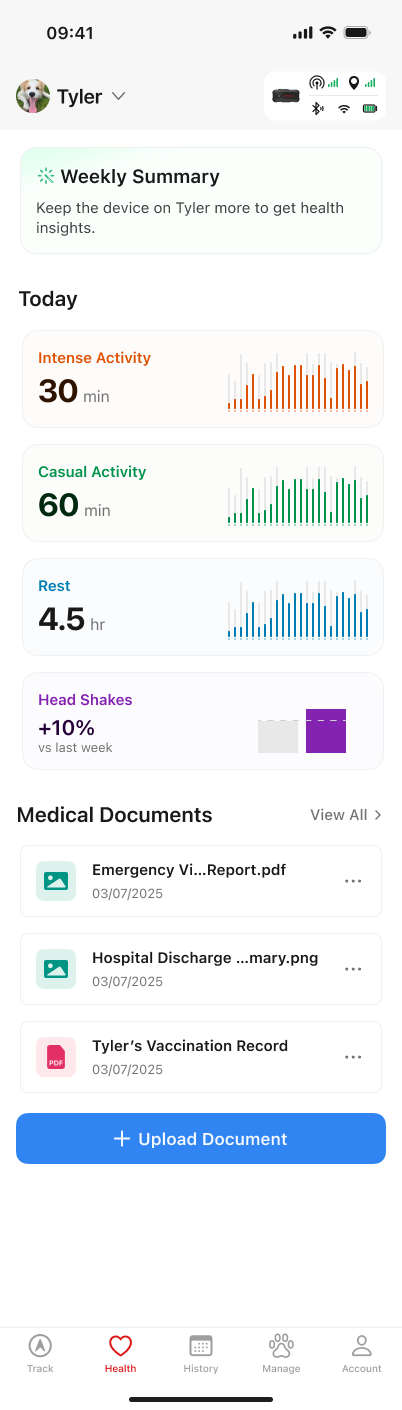
- Profile incomplete
Ask only for the fields required to personalize the next insight.
- Wear insufficient
Use the captured window, avoid full-day or baseline claims, then encourage more wear and a routine-fit charging moment.
- Insights disabled
Stay silent instead of turning an opt-out into an engagement prompt.
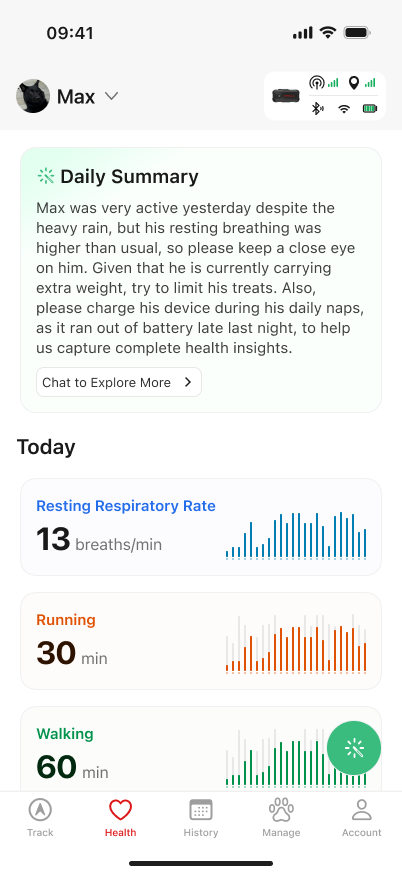
- Signal
Resting breathing was valid and higher than the pet’s personal baseline.
- Context
High activity happened despite heavy rain; weather did not explain away the respiratory signal.
- Nudge
Limit treats and charge during naps—only because weight and battery made those actions relevant.
Accuracy was necessary. Restraint made it useful.
Did the output catch the actual abnormal signal?
Was weather or another explanation used only when defensible?
Did anomaly come before an actionable Nudge, with normal data suppressed?
Did language, external context, JSON, and downstream interfaces behave correctly?
What return feedback revealed about the existing product.
Evolve · SATELLAI · Existing product · Shipped
Customers described technical uncertainty as product failure. I translated that language into system causes and product responses; after the January release, overall returns were ~25% from February onward versus a ~40% Aug–Jan average.
My roleMapped return feedback to system causes, redesigned connection-state communication, and improved fence creation, validation, and review.
Customer language was the entry point. I separated the system causes, made each state actionable, and tracked returns after release as a directional signal.
Overall return rate before the release.
Connectivity-state and fence-interaction improvements shipped.
Observed overall return rate after release.
“The tracker is broken.”
- GNSS freshness
- LTE quality
- Device offline
Separate GNSS, LTE, and device states so the user can identify the failure and next action.
“The fence won’t save.”
- Road or building
- Size or width
- Canopy constraint
Let users shape first, then review the constraint and either edit or proceed.
Replace a vague failure message with a readable system state.
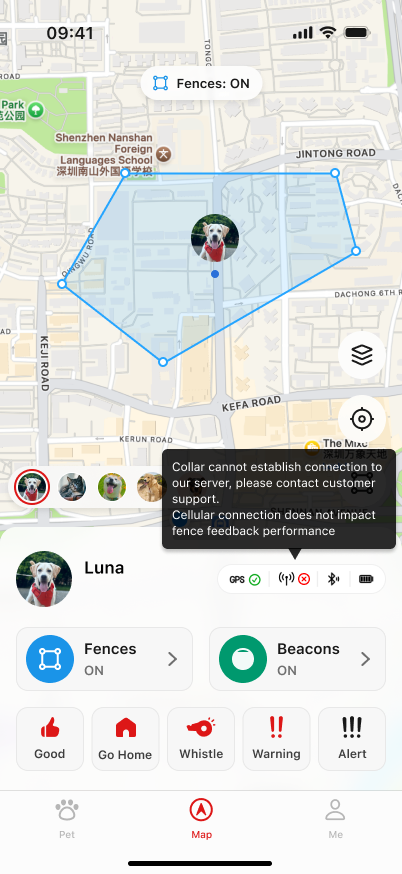
- The map still looks live underneath the warning
- No readable difference between GNSS, LTE, and offline
- The owner cannot tell what remains trustworthy
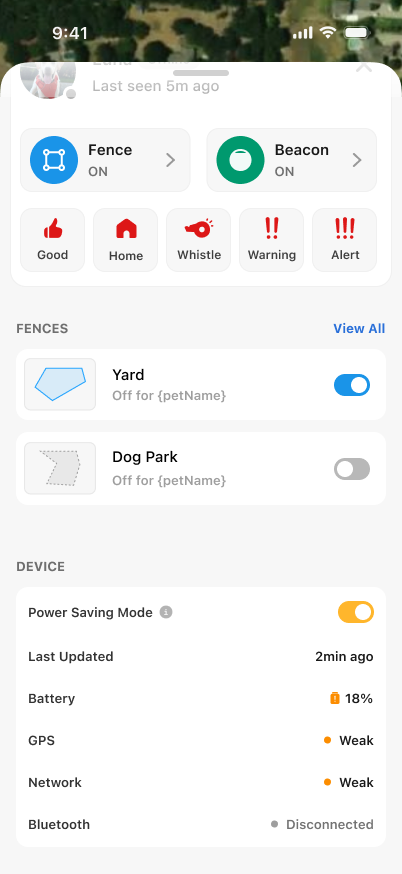
- A persistent status surface instead of a transient tooltip
- Last update time and last-known location remain legible
- GPS, network, Bluetooth, and battery are decomposed
Make every edit reveal what will change before it happens.
One delete icon changed meaning with selection.
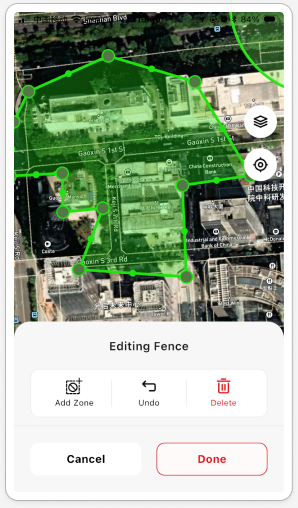
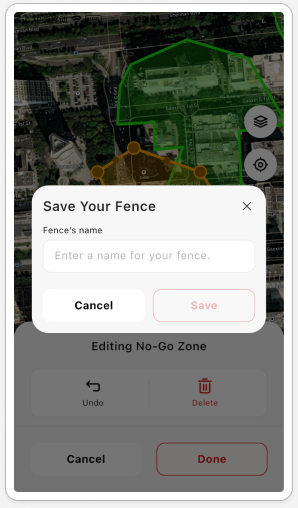
Its scope was never named. Users had to notice a subtle selection change, remember the rule, and predict what the generic icon would delete.
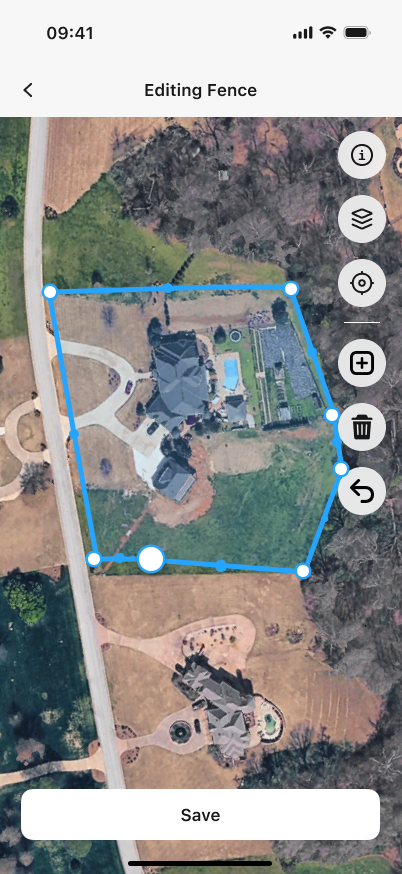
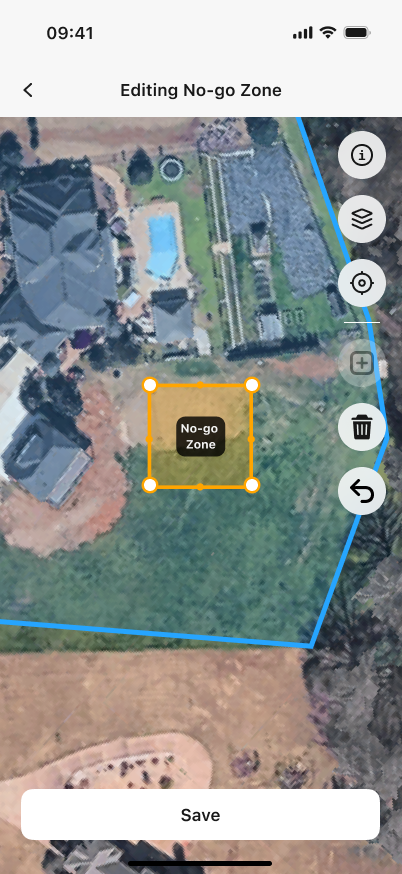
A point enlarges when selected. A no-go zone gets its own title, color, and handles—making the destructive scope readable before the tap.
A feature label had to become a spatial task.
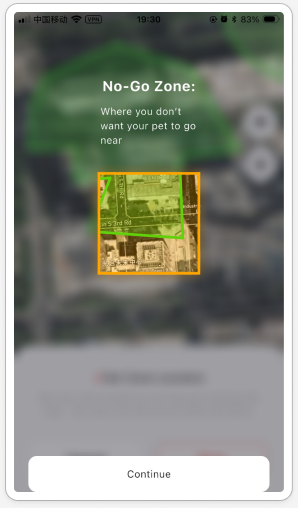
A separate onboarding card explained the term, while the editor used different wording. Users still had to translate both into a map operation.
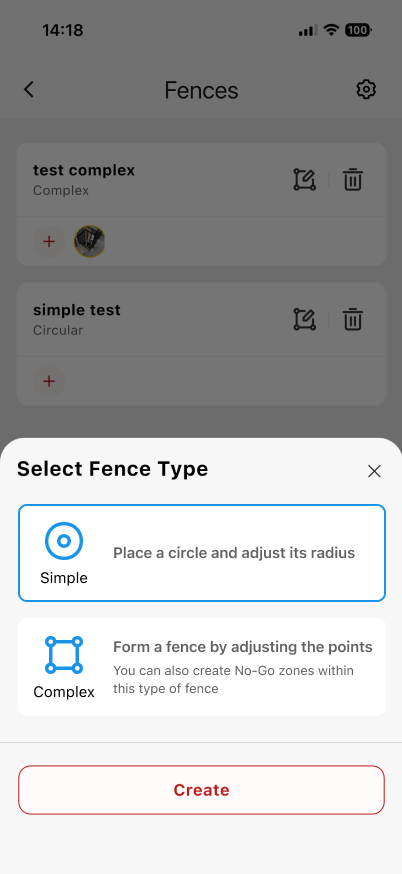
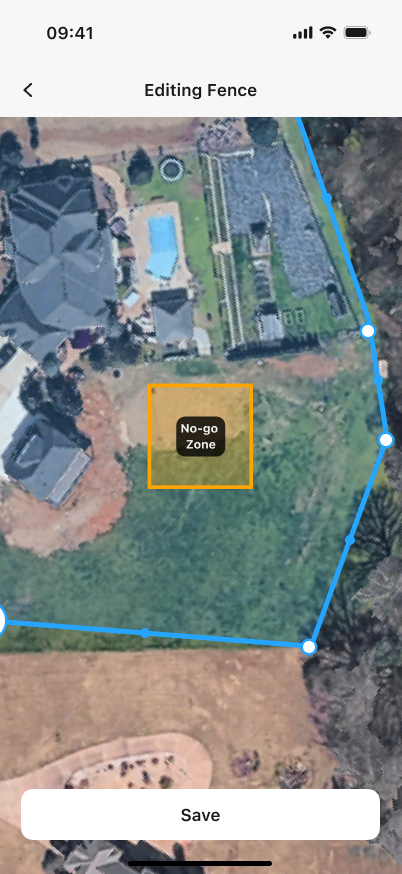
Complex Fence is introduced as the type that supports no-go zones, then a labeled zone appears directly inside the boundary for positioning.
The map should be the workspace—not the backdrop.
Generic Undo and Delete actions occupied a large block even when they were not relevant, reducing the useful map and separating tools from the geometry.
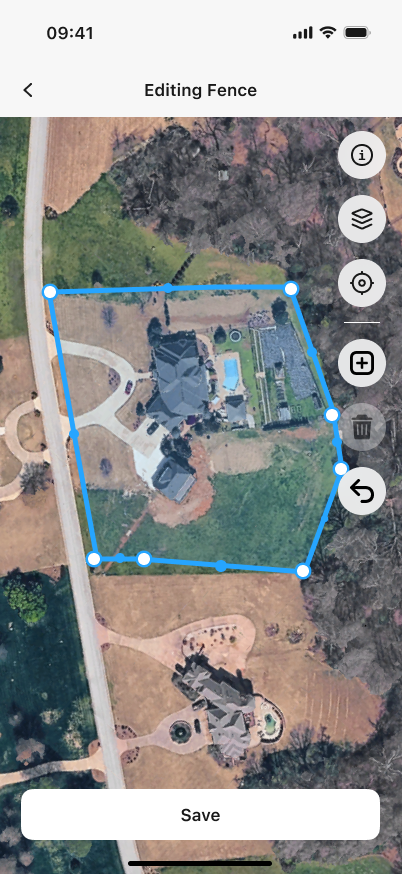
Editing happens in place. Object actions sit beside the selected shape, while the single primary Save action remains stable at the bottom.
Questions I kept exploring
What if connected pet care were built around the pet—not the device?
After the project, I used this interactive prototype to keep exploring that broader question. It is a conceptual direction, not shipped work.
Two adjacent systems extended the product—and the team’s way of working.
The same product judgment extended to an intermittent, expensive satellite link and to conversational access to grounded product data.
Designing useful behavior when every satellite transmission has a cost.
S1 used satellite in two different ways: messages needed honest delivery states across an intermittent link, while location updates needed to remain useful without transmitting every new fix.
Confirm only what the link has actually delivered.
- 01ComposeMessage is ready locally
The action is accepted without implying delivery.
- 02Wait for linkPending network…
The message remains visible while the device connects to satellite.
- 03ConfirmSent just now
Success appears only after the transmission is confirmed.
Report meaningful movement—not every new fix.
Each new location was compared with the last location reported over satellite. The product transmitted again only when straight-line displacement exceeded 250 meters.
Making product data queryable through conversation.
A basic product question previously required opening BigQuery, knowing the schema, writing SQL, and interpreting the result. I connected a Feishu chatbot to an OpenClaw + MCP workflow so the model acted as the conversational interface while BigQuery remained the source of truth.
Question
→BigQuery
→Write SQL
→Interpret result
Question
→Feishu
→Grounded answer
How did average app session duration change this month compared with last month?
Average session duration decreased by 30 seconds month over month.
- Period
- This month vs. previous month
- Source
- BigQuery · live product data